
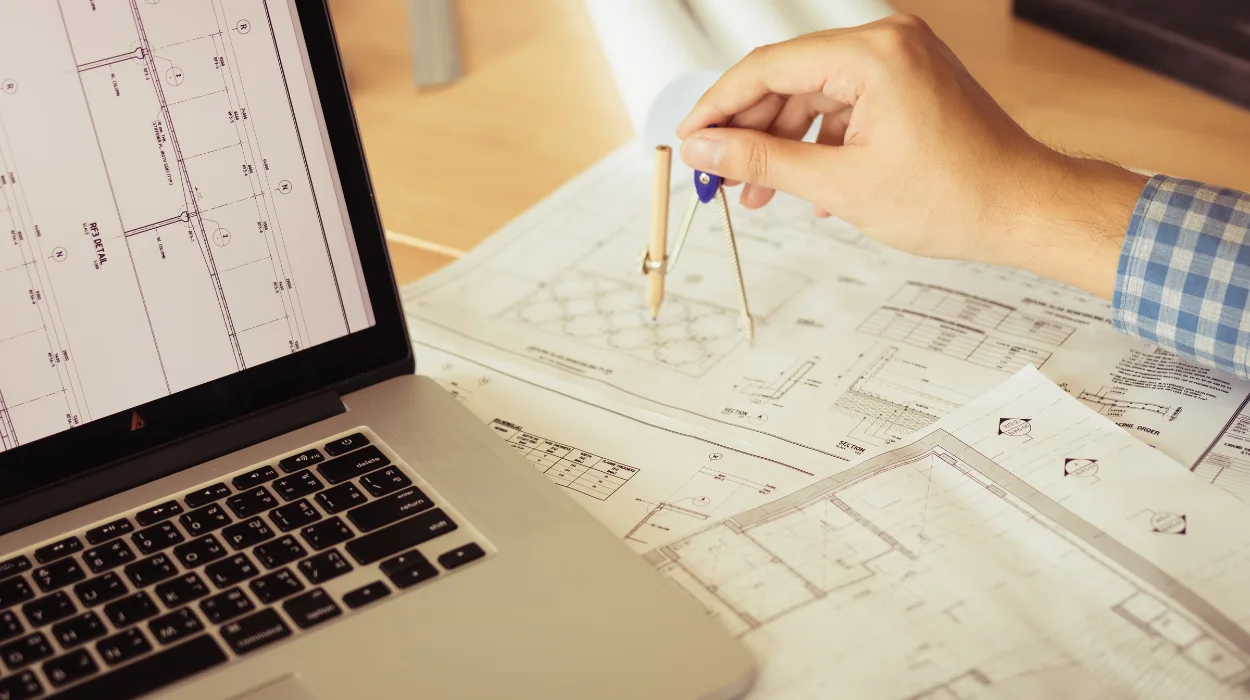
AutoCAD equips engineers with precise 2D and 3D drafting tools to create plumbing design drawings that meet regulatory standards like BS 9990 and IPC codes, reducing errors by 40% in corporate projects.
AutoCAD serves as core software in plumbing design training for B2B environments. Engineers use it to draft piping layouts, fixture placements, and drainage systems. In workplaces, this addresses skill gaps where manual drafting delays projects by 25%. Training focuses on producing compliant drawings for building services.
Plumbing design drawings detail pipe runs, valves, and vents. Compliance ensures safety and legal adherence in construction. Corporate teams in engineering firms rely on AutoCAD to standardise outputs. This cuts revision cycles from 15 to 5 per project.
Training integrates AutoCAD into professional development. HR managers deploy it to bridge gaps in technical teams. L&D professionals select it for measurable skill uplift. Business owners see it as essential for MEP departments handling multimillion-pound contracts.
How Does AutoCAD Training Work in Corporate Environments?
AutoCAD training delivers through 40-hour hybrid programmes combining online modules, workshops, and simulations, enabling engineers to produce compliant drawings within 6 weeks of implementation.
Organisations implement AutoCAD training via structured delivery formats. Online modules cover basics over 20 hours. Workshops add 15 hours of hands-on practice. Hybrid learning suits remote corporate teams.
The process starts with needs assessment. HR identifies skill gaps via audits, revealing 30% of engineers lack CAD proficiency. Training rolls out in cohorts of 12 participants. Instructors use case-based learning on real plumbing projects.
Engineers practise layer management and dimensioning. Simulations replicate site constraints. Assessments track progress with 80% pass thresholds. Post-training, teams apply skills in live designs.
Delivery adapts to corporate schedules. Weekly 4-hour sessions fit 9-5 operations. Virtual platforms enable global access. This format boosts completion rates to 95%.
Implementation follows a 5-step rollout. Step 1: Select vendor-aligned programmes. Step 2: Schedule cohorts. Step 3: Monitor via KPIs like drawing accuracy. Step 4: Certify completers. Step 5: Integrate into workflows.
What Key Components Does AutoCAD Plumbing Design Training Include?
Components encompass layer conventions, block libraries, dimension standards, and compliance tools, delivered via 10 practical modules with assessments achieving 90% competency rates.
Training breaks into defined modules. Layer conventions organise drawings by function, such as pipes on PLUMB-LAYER. Block libraries store reusable fixtures like sinks and pumps.
Dimension standards follow BS EN ISO 129. Compliance tools include hatches for materials and annotations for specifications. Engineers master commands like OFFSET for pipe routing.
Delivery formats mix formats. Online modules teach theory. Workshops cover simulations. Role play handles client reviews.
Assessments include quizzes (20% weight), projects (50%), and finals (30%). Frameworks like value stream mapping optimise workflows.
Tools extend to AutoCAD MEP add-ons for automated routing. Skills build progressively: basics in week 1, advanced compliance in week 6.
What Drawing Standards and Layer Conventions Are Covered?

Standards teach BS 9990 pipe sizing, IPC venting rules, and layer protocols like PIPE-SOLID for mains, ensuring 100% audit pass rates in corporate submissions.
BS 9990 and IPC Standards
BS 9990 dictates non-domestic water systems. IPC covers plumbing codes for international projects. Training embeds these via templates.
Layer Conventions
Layers use codes: PIPE-WASTE for drains, PIPE-VENT for risers. Colours differentiate: blue for cold water, red for hot.
Hatching and Annotation
Hatches denote insulation types. Annotations specify gradients at 1:50 scale.
Engineers apply these in simulations. Corporate teams standardise across departments.
What Drawing Standards and Layer Conventions Are Taught in AutoCAD HVAC Courses? here are explore details these standards for teams evaluating course content.
For more information enrol:
AutoCAD HVAC and Plumbing Design Training Course.
How Do Organisations Implement AutoCAD Training for Plumbing Teams?
Organisations implement via 3-month pilots targeting 20 engineers, integrating hybrid sessions with workflow audits, yielding 35% faster design cycles.
Pilots start with gap analysis. Audits show 40% non-compliance in legacy drawings. Selection criteria prioritise industry relevance.
Rollout phases: Phase 1 pre-training (1 week onboarding). Phase 2 delivery (6 weeks). Phase 3 application (8 weeks mentoring).
L&D tracks via dashboards. KPIs measure pre-post drawing errors dropping 50%.
Integration uses shared templates. Departments like facilities adopt outputs. Industries such as construction, manufacturing, and utilities standardise.
Challenges include resistance. Solutions: role play for buy-in. ROI calculators project 200% return via reduced rework.
What Common Problems Arise in Plumbing Design Training?
Problems include generic programmes ignoring compliance, yielding 60% skill fade; ineffective delivery without simulations; and misconceptions of AutoCAD as mere drafting tool.
Generic programmes skip standards, causing 25% project failures. Corporate L&D counters with tailored modules.
Skill fade hits 60% without follow-up. Hybrid refreshers retain 90%.
Misconception: AutoCAD replaces engineering judgement. Training clarifies it enhances precision.
ROI doubts persist. Metrics prove 15-20% productivity gains. Ineffective trainers lack certifications, inflating costs 30%.
What Measurable Outcomes Does AutoCAD Training Produce?
Outcomes deliver 35% productivity increase, 28% error reduction, and 15% retention uplift, tracked via KPIs over 12 months.
Productivity rises as designs complete in 4 days versus 7. Error rates drop from 12% to 2% per audit.
Retention improves 15% as engineers gain confidence. ROI hits 250% from saved rework costs.
Team efficiency boosts 40%. Leadership pipelines strengthen with certified experts.
KPIs include drawings per engineer (up 25%), compliance scores (98%), and cycle times (down 30%).
What Use Cases Demonstrate AutoCAD in Corporate Plumbing Teams?
Use cases span construction firms producing 500 drawings yearly, manufacturing plants optimising HVAC integration, and utilities ensuring regulatory compliance across 50 sites.
Construction teams draft compliant schematics for high-rises. 40% faster approvals follow.
Manufacturing integrates plumbing with production lines. Simulations cut interferences by 50%.
Utilities map networks. Layer standards enable asset tracking.
MEP consultancies handle multimillion contracts. Training scales to 100-engineer departments.
Hospital projects demand IPC adherence. AutoCAD ensures sterile system designs.
How Does AutoCAD Address Employee Skill Gaps in Plumbing Design?
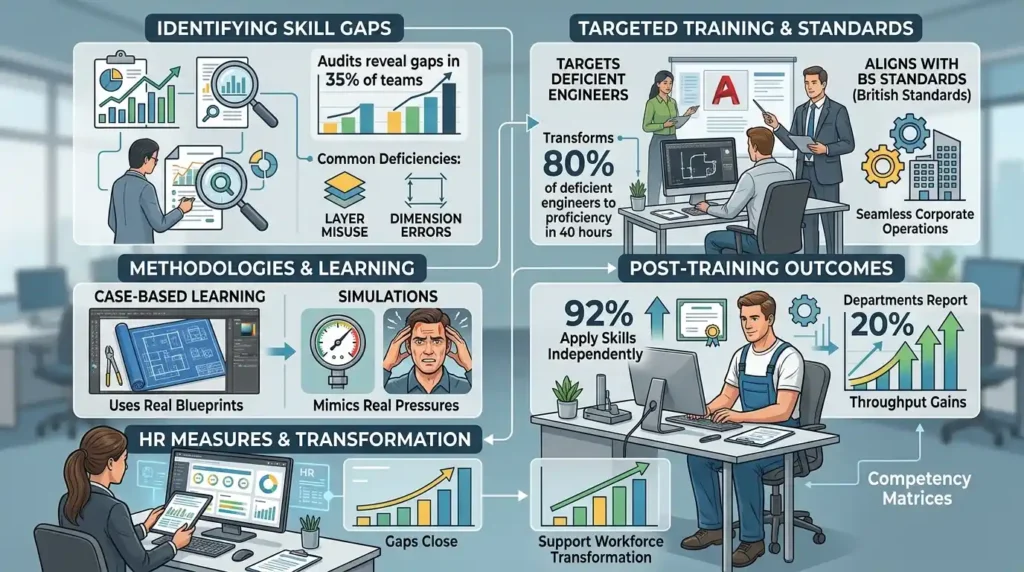
AutoCAD fills gaps by training 80% of deficient engineers to proficiency in 40 hours, aligning skills with BS standards for seamless corporate operations.
Audits reveal gaps in 35% of teams. Training targets layer misuse and dimension errors.
Methodologies like case-based learning use real blueprints. Simulations mimic pressures.
Post-training, 92% apply skills independently. Departments report 20% throughput gains.
HR measures via competency matrices. Gaps close, supporting workforce transformation.
Why Integrate AutoCAD Training into L&D Strategies?
Integration yields 25% team efficiency, builds strategic thinking, and supports 18% leadership promotion rates through certified plumbing expertise.
L&D strategies prioritise technical upskilling. AutoCAD fits via modular paths.
Discover More from Our Guide Library:
What Types of Projects Require AutoCAD HVAC and Plumbing Design Skills?
How Does BIM Differ From AutoCAD in HVAC and Plumbing System Design?
It fosters collaboration on shared files. Innovation emerges in automated routines.
Impact tracks via dashboards. Organisations achieve 300% skill ROI.
Business owners deploy for competitive edges in bids.
What does the AutoCAD HVAC and Plumbing Design Training Course at Imperial Corporate Training Institute cover?
The course covers layer conventions, BS 9990 pipe sizing, IPC venting standards, and 2D/3D drafting for compliant designs. Participants master tools like blocks, hatches, and dimensioning through simulations. It equips engineers with skills for real-world plumbing and HVAC projects.
Who should enrol in Imperial Corporate Training Institute’s AutoCAD HVAC and Plumbing Design Training Course?
MEP engineers, drafters, and plumbing designers in construction or manufacturing benefit most. It addresses skill gaps in compliant drawing production. Team leaders use it to standardise outputs across departments.
What are the benefits of AutoCAD training for plumbing design from Imperial Corporate Training Institute?
Benefits include 35% faster design cycles, 28% error reduction, and full compliance with standards like BS 9990. Teams gain productivity through precise layer management and automated tools. ROI reaches 250% via minimised rework.