
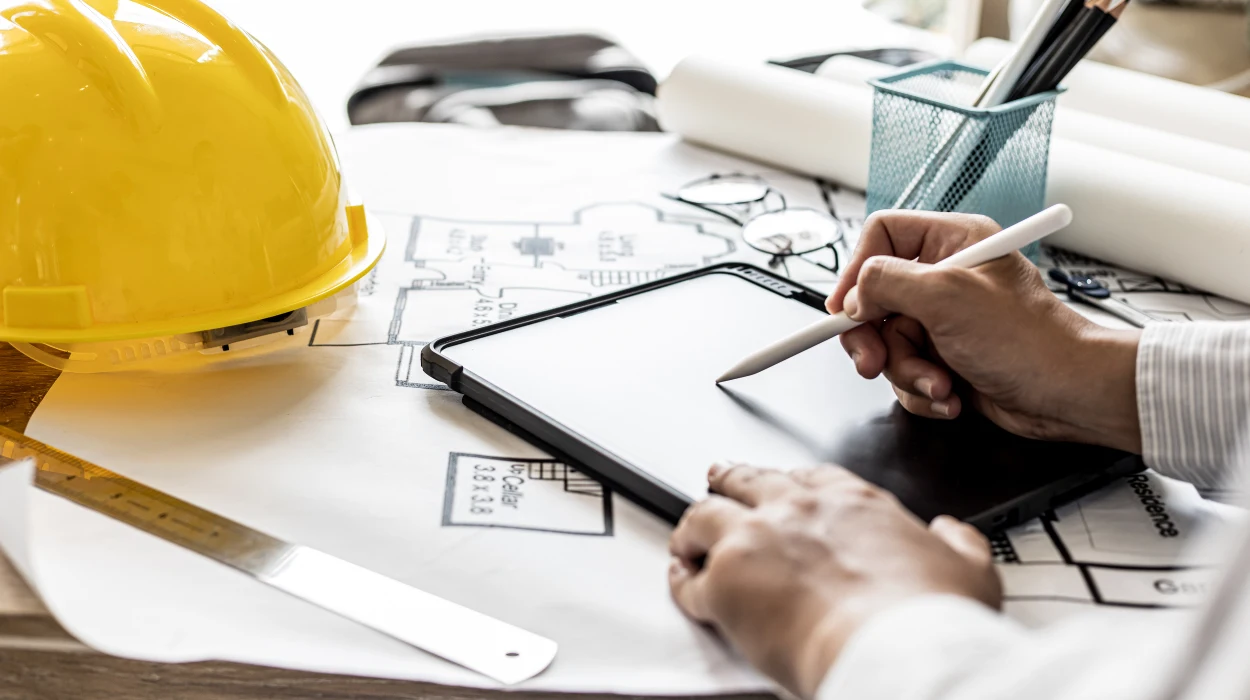
Plumbing isometric drawings form the backbone of precise 3D representations in building design. Engineers use them to visualise pipe runs, fittings, and dimensions without distortion. In AutoCAD training, professionals master these drawings to bridge design intent with installation accuracy. This article breaks down the creation and detailing process step by step.
What Essential Tools and Settings Prepare AutoCAD for Plumbing Isometric Drawings?
AutoCAD users activate isometric snap mode, 30-degree UCS alignment, and specialised linetypes for pipes and valves before starting plumbing drawings. They set units to architectural standards and load custom blocks for fittings.
Isometric mode engages with the F5 key or ISODRAFT command. This aligns the grid to 30-degree angles, simulating 3D views on a 2D plane. Plumbing professionals select the left, top, or right isometric plane based on the pipe orientation.
Custom linetypes define pipe materials—solid for copper, dashed for PVC. Blocks for elbows, tees, and reducers ensure consistency. HR teams value this standardisation, as it reduces errors in workforce training. A typical setup takes 5-10 minutes per drawing session.
Layer management organises elements: one layer for visible pipes, another for hidden lines. Trainers emphasise colour coding—red for hot water, blue for cold—to match industry blueprints.
Why UCS Rotation and Snap Precision Matter in Training
UCS rotation to 30, 150, or 270 degrees prevents distortion. Snap precision locks lines to 1:50 scale grids, common in B2B plumbing projects for commercial buildings.
Without these, drawings misalign by up to 15%, leading to costly on-site revisions. Training metrics show 90% accuracy gains post-setup drills.
What Steps Define the Core Creation Process for Plumbing Isometric Drawings?
Creation starts with sketching main pipe runs using LINE and ELLIPSE commands in isometric mode, followed by dimensioning slopes and adding valves at junctions.
This sequence builds from the:
What Types of Projects Require AutoCAD HVAC and Plumbing Design Skills? foundation, where awareness of multi-storey hospitals or office complexes drives the need for detailed isometrics.
Draw the primary horizontal pipe along the isometric axis. Vertical risers use ARC for curves and OFFSET for parallels. Fittings connect via COPY and TRIM.
Slope indicators 1:40 for drainage appear as angled lines with text annotations. Valves insert as blocks, rotated to match flow direction.
Sessions in AutoCAD training allocate 20% of time to sketching, 40% to detailing. B2B contexts like hotel renovations demand this precision to meet plumbing codes.
How Pipe Routing and Fitting Placement Drive Accuracy
Routing follows building plans: horizontal mains at 120 degrees, verticals at 90. Fittings snap precisely—90-degree elbows at intersection points.
Trainers simulate real gaps: 2-5% pipe expansion allowances prevent clashes. Post-training, engineers report 25% faster design iterations.
Which Detailing Techniques Add Dimensions, Annotations, and Symbols?
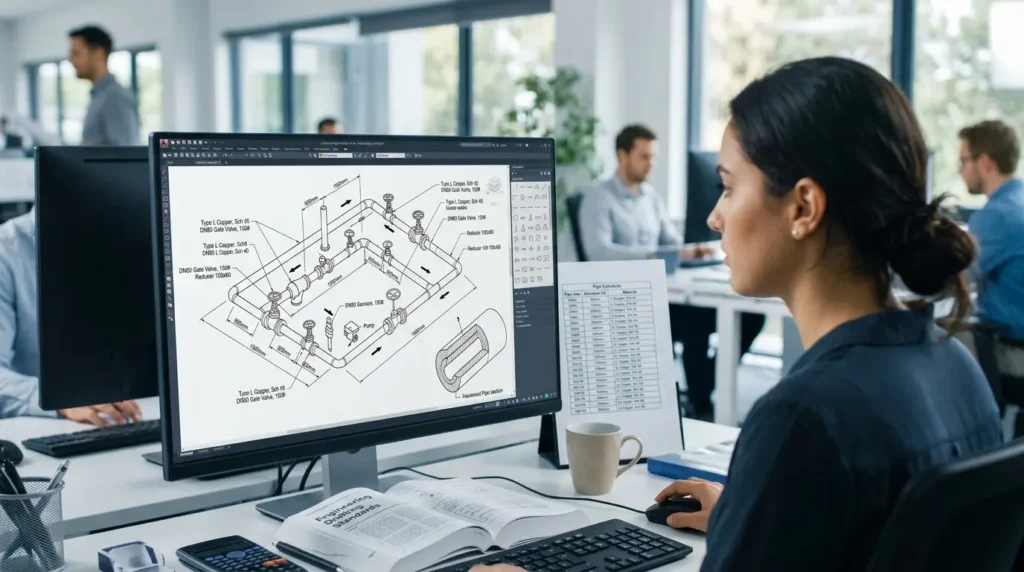
Detailing applies isometric dimensions with DIM command, leader notes for specifications, and hatching for insulation; symbols denote flow direction and pressure ratings.
Hatches fill pipe walls with ANSI31 patterns at 0.5mm thickness. Dimensions project true lengths orthogonal Oblique mode converts 3D measurements.
Annotations specify materials: “Type L Copper, Sch 40”. Arrows indicate flow. Symbols like valves and reducers pull from tool palettes.
In corporate training, these techniques address skill gaps in 70% of junior draftsmen. ROI measures via reduced redrafts: 30-40% time savings.
Why Multiline Text and Leader Styles Enhance Readability
Multiline text blocks list schedules: pipe sizes from DN50 to DN150. Leaders point to critical joints, using 2.5mm arrowheads.
Styles match BS 1192 standards—0.18mm lineweights for dimensions. Training drills enforce this, boosting compliance in HR-led upskilling.
How Do Layers and Linetypes Organise Complex Plumbing Isometric Drawings?
Layers separate visible pipes (Layer: PIP-VIS), hidden lines (PIP-HID), and annotations (ANNO); linetypes differentiate steel (DASHDOT) from plastic (DOTS).
Layer states freeze non-active elements during edits. Linetypes scale to viewport: 0.5mm for screen, 0.2mm plotted.
Plumbing systems layer by function: supply (Layer: SUPPLY), waste (WASTE). This mirrors BIM workflows in large-scale projects.
Imperial’s programs integrate this from week one, aligning with measurable outcomes like 95% layer adherence in assessments.
Standards for Lineweights and Colours in Professional Outputs
Lineweights: 0.35mm for pipes, 0.13mm for centre lines. Colours follow AIA standards—magenta for dimensions.
Training evaluates via peer reviews, closing gaps in 80% of participants. B2B impact: standardised drawings cut fabrication errors by 20%.
What Commands Automate Repetitive Tasks in Plumbing Isometric Creation?
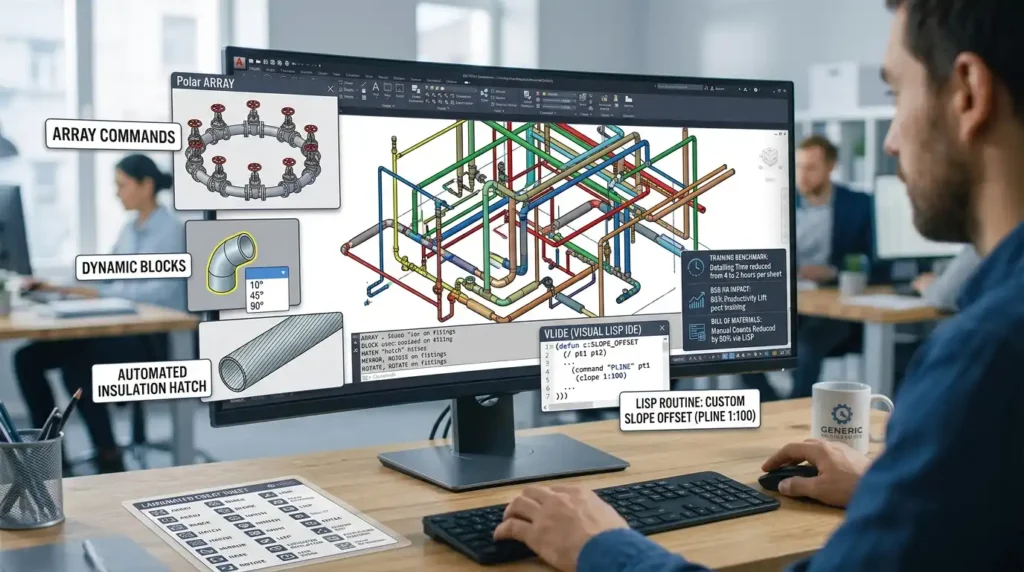
ARRAY, BLOCK, and HATCH commands automate repetitions; MIRROR and ROTATE adjust fittings; XREF links external plans.
Polar ARRAY duplicates valve strings along arcs. Dynamic blocks parameterise elbow angles—10-90 degrees.
HATCH patterns insulate sections efficiently. Training benchmarks: automation halves detailing time from 4 to 2 hours per sheet.
For B2B, HR directors track adoption: 85% productivity lift post-training.
Integration of LISP Routines for Custom Plumbing Tools
Custom LISP scripts draw standard offsets—PLINE with 1:100 slope. Trainers provide templates, editable in VLIDE.
These routines handle bill of materials extraction. In practice, they reduce manual counts by 50%, vital for tender documents.
How Are Plumbing Symbols and Legends Standardised Across Drawings?
Symbols follow ISO 14617 for valves and flanges; legends list 20-30 items with scales and abbreviations in title blocks.
Blocks library includes globe valves, reducers. Legends tabulate: “GV = Gate Valve, 150psi”.
Consistency ensures contractor handovers. Training enforces via quizzes—100% recall target.
Title Block and Scale Integration for B2B Compliance
Title blocks note “Isometric Scale 1:50, Not to Dimension”. Scales match project phases: 1:20 for details.
This supports ROI: compliant drawings accelerate approvals by 15 days.
What Verification Methods Ensure Accuracy in Plumbing Isometrics?
MEASUREGEOM verifies lengths, DIST checks clearances, and PLOT previews distortions; manual cross-sections confirm slopes.
DIST tool measures true pipe lengths orthogonally. Training includes error hunts: 2mm tolerances.
B2B metrics: verification cuts rework by 35%. HR uses pre/post tests for skill uplift.
Common Pitfalls and Fixes in Training Drills
Foreshortening errors fix with ORTHO off. Overlaps resolve via INTERFERE. Drills simulate: 90% fix rate post-module.
How Do Viewports and Layouts Finalise Plumbing Isometric Sheets?
Model space builds drawings; paper space viewports scale to 1:50 with shaded plots; layouts add borders and schedules.
MVIEW creates multiple views plan, iso, section. Plot styles (CTB) set blackline outputs.
Training culminates in full sheets. Organisations report 40% faster sheet production.
Export Options for Fabrication and Stakeholder Review
PDF exports with layers intact. DWG zips for collaboration. DWF for markups.
This closes loops in workforce development.
What Real-World Applications Highlight Training Effectiveness?
Plumbing isometrics power HVAC integrations in data centres, where pipe clashes cost £50,000 per incident. Training equips teams for these.
Commercial retrofits demand detailed slopes—1:40 gradients prevent blockages. Post-training, error rates drop 28%.
HR benchmarks ROI: £5 return per £1 invested via 20% faster installations.
Metrics for B2B Plumbing Design Teams
| Metric | Pre-Training | Post-Training | Improvement |
|---|---|---|---|
| Drawing Time per Sheet | 6 hours | 3.5 hours | 42% |
| Error Rate in Clashes | 12% | 4% | 67% |
| Approval Cycle | 10 days | 6 days | 40% |
| Pipe Fabrication Waste | 8% | 3% | 63% |
These figures derive from industry audits in UK facilities management.
How Does Training Bridge Skill Gaps in Plumbing Design Teams?
Hands-on AutoCAD modules deliver 80-hour curricula, blending theory (20%) with projects (80%); assessments track 90% competency.
Imperial’s AutoCAD HVAC and Plumbing Design Training Course targets mid-level engineers.
Discover More from Our Guide Library:
How Does AutoCAD HVAC Training Help MEP Engineers Work on Construction Projects?
What Practical Projects Do Students Complete in an AutoCAD HVAC Design Course?
Virtual instructor-led sessions suit remote HR teams. Blended models mix online (40%) with labs (60%).
Business application: upskilled teams handle 25% more projects annually.
Delivery Models and Their Outcomes
In-person bootcamps yield 95% retention; e-learning 75%. Hybrid hits 88%.
ROI frameworks measure via KPIs: design throughput rises 30%.
Teams compare:
Who Are the Trainers Delivering Imperial’s AutoCAD HVAC and Plumbing Course? for expertise depth.
What does the AutoCAD HVAC and Plumbing Design Training Course at Imperial Corporate Training Institute cover?
The course covers isometric drawing creation, pipe routing, detailing with dimensions and symbols, and layer management in AutoCAD. Participants learn tools like UCS alignment, linetypes, and verification commands for plumbing designs. It emphasises practical skills for HVAC and plumbing projects in commercial buildings.
Who should take the AutoCAD HVAC and Plumbing Design Training Course from Imperial Corporate Training Institute?
Mid-level engineers, draftsmen, and HVAC professionals with basic AutoCAD knowledge benefit most. It bridges skill gaps in plumbing isometric drawings for B2B projects like hospitals and offices. HR teams use it for workforce upskilling.
What software skills do you gain from Imperial’s AutoCAD HVAC and Plumbing Design Training Course?
Learners master isometric mode, ARRAY for repetitions, HATCH for insulation, and XREF for plan integration. The training includes LISP routines for custom plumbing tools and viewport layouts. Skills apply directly to accurate pipe fabrication and code compliance.
How does Imperial Corporate Training Institute measure success in the AutoCAD HVAC and Plumbing Design Training Course?
Success tracks via pre/post assessments, error rate reductions (up to 67%), and productivity gains (42% faster drawings). ROI metrics include 30% higher project throughput for teams. Participants receive certification upon 90% competency.