
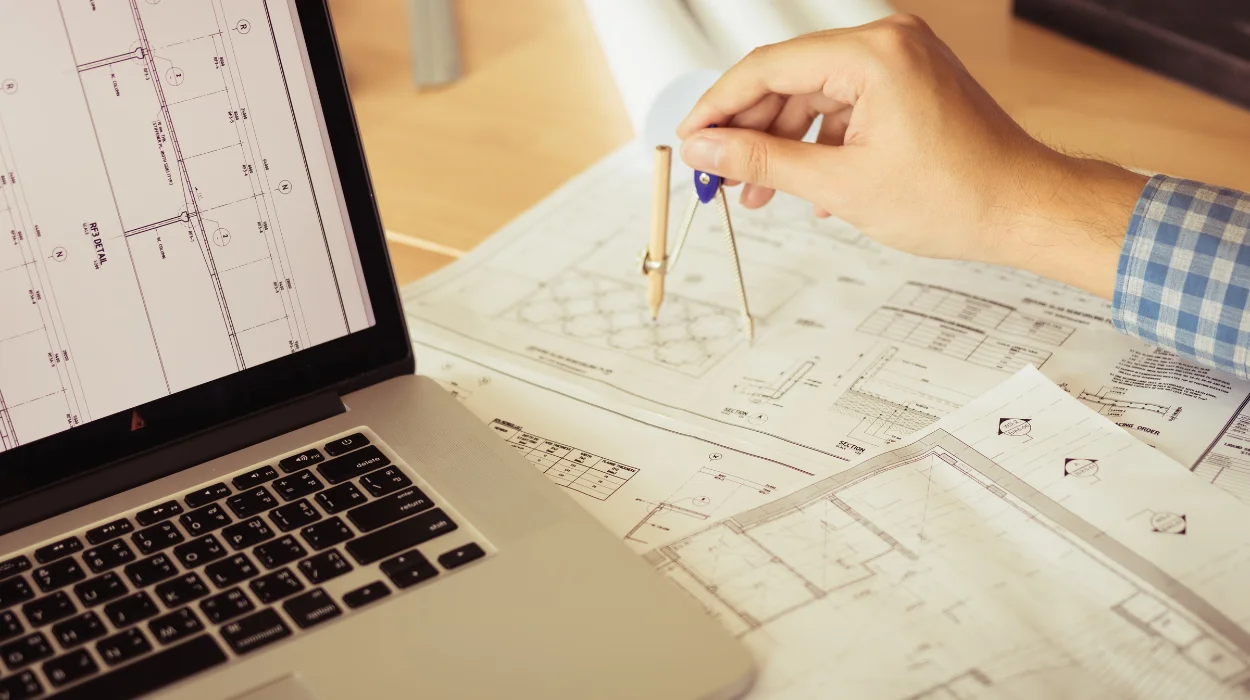
Space planning for mechanical room layout in AutoCAD is the process of organising HVAC and plumbing equipment inside a defined building area using precise digital drafting, clearance management, workflow coordination, and system integration standards to improve operational efficiency, safety compliance, and maintenance accessibility.
Mechanical room layout planning defines how critical building systems fit into restricted physical environments. These systems include chillers, pumps, boilers, air handling units, pipe routes, ductwork, drainage systems, cable trays, and maintenance access zones. In commercial facilities, poor layout planning increases installation conflicts, delays commissioning schedules, and reduces maintenance efficiency.
AutoCAD supports this process through computer-aided drafting, layered modelling, dimensioning tools, and scalable spatial coordination. Engineering and facilities teams use AutoCAD to visualise equipment arrangements before construction begins. This approach reduces rework during installation phases.
In corporate environments, space planning directly affects operational continuity. Industries like healthcare, manufacturing, logistics, education, and commercial real estate depend on efficient mechanical room configurations to maintain uninterrupted building services. Hospitals require accessible HVAC equipment for infection control systems. Data centres require coordinated cooling layouts to maintain server temperatures below operational thresholds.
From a workforce development perspective, space planning training develops technical coordination skills across engineering, drafting, maintenance, and facilities management teams. Organisations use structured learning programmes to close competency gaps in HVAC drafting standards, clearance interpretation, and system coordination workflows.
The training process often combines instructor-led workshops, CAD simulations, case-based learning, and project assessments. Teams learn how to interpret architectural drawings, integrate HVAC systems with plumbing layouts, and apply industry standards such as ASHRAE guidelines and local building regulations.
Why do organisations struggle with mechanical room layout coordination?
Organisations struggle with mechanical room layout coordination because departments work in isolation, equipment clearances are overlooked, design revisions lack version control, and technical teams operate without standardised drafting processes or integrated BIM coordination workflows.
Mechanical room layouts involve multiple stakeholders. Mechanical engineers define equipment specifications. Electrical teams manage power distribution. Plumbing designers coordinate pipe routes. Facilities teams require service access. Contractors focus on installation practicality.
Without coordinated workflows, design clashes increase rapidly.
A common issue involves insufficient maintenance clearance around HVAC equipment. For example, a centrifugal chiller requiring 1.5 metres of front access often gets positioned against structural walls during late-stage revisions. This creates servicing restrictions after installation.
Another issue involves inconsistent drawing standards. Different teams use separate file naming systems, layering structures, and scaling conventions. This increases coordination errors during project handovers.
Training gaps also contribute to layout inefficiencies. Drafting teams frequently understand software commands but lack operational knowledge of airflow patterns, equipment servicing zones, and mechanical sequencing requirements.
Large organisations address these challenges through structured technical learning frameworks. These frameworks include:
Standardised drafting procedures
Teams follow unified layer naming, annotation standards, and dimensioning systems. This improves collaboration between departments.
Cross-functional coordination exercises
Mechanical, plumbing, and facilities teams participate in collaborative layout simulations. These exercises reduce departmental silos.
Clearance compliance assessments
Employees learn how to verify service access requirements based on manufacturer specifications and operational standards.
Revision control workflows
Training includes file management systems, drawing version protocols, and coordinated documentation practices.
Performance metrics show measurable impact after structured technical training implementation. Construction coordination errors reduce by 20% to 35% in organisations that adopt standardised CAD workflows. Facilities maintenance response times also improve because equipment accessibility becomes integrated into the planning stage.
How does AutoCAD support mechanical room space planning?
AutoCAD supports mechanical room space planning through precise drafting tools, layered system coordination, scalable equipment modelling, clash identification, dimension control, annotation management, and documentation workflows that improve technical accuracy across engineering and construction teams.
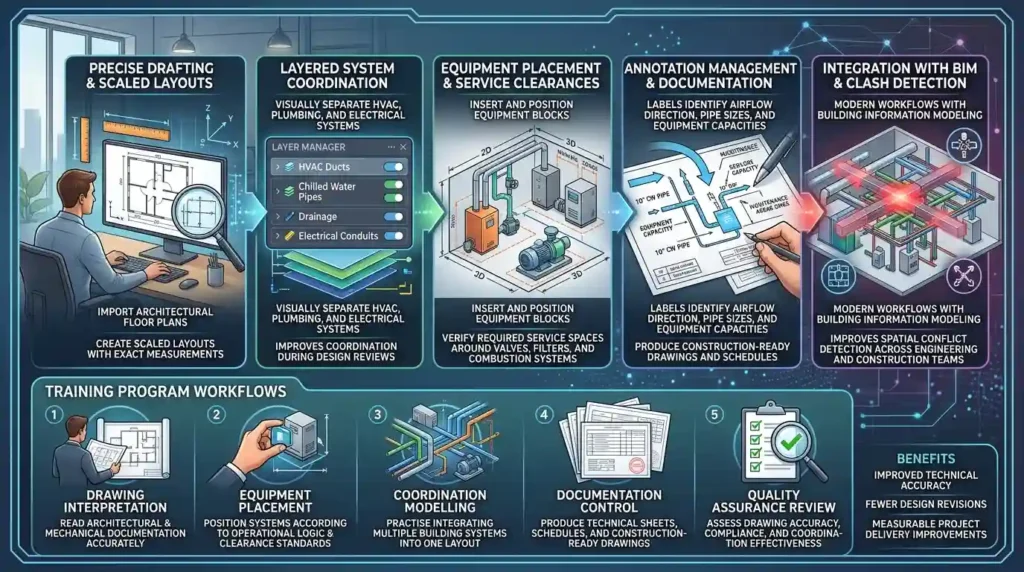
AutoCAD enables teams to create scaled layouts with exact measurements. Every component receives defined positioning coordinates. This level of precision improves installation sequencing and system compatibility.
The process begins with importing architectural floor plans. Mechanical designers identify available room dimensions, ceiling heights, structural limitations, and access routes. HVAC and plumbing equipment blocks are then inserted according to project requirements.
Teams organise system elements using layers. Ductwork, chilled water pipes, drainage systems, and electrical conduits remain visually separated. This improves coordination during design reviews.
Dimensioning tools ensure proper equipment spacing. For example, boiler rooms require minimum service clearances around valves, filters, and combustion systems. AutoCAD helps teams verify these distances before construction.
Annotation systems improve communication between stakeholders. Labels identify airflow direction, pipe sizes, equipment capacities, and maintenance zones. Contractors use these annotations during installation phases.
Modern workflows also integrate AutoCAD with Building Information Modelling processes. This coordination improves spatial conflict detection across disciplines.
Training programmes focused on HVAC drafting often teach these workflows step by step:
Drawing interpretation
Employees learn how to read architectural and mechanical documentation accurately.
Equipment placement
Participants position HVAC and plumbing systems according to operational logic and clearance standards.
Coordination modelling
Teams practise integrating multiple building systems into one layout environment.
Documentation control
Learners produce technical sheets, schedules, and construction-ready drawings.
Quality assurance review
Assessments measure drawing accuracy, compliance, and coordination effectiveness.
Organisations implementing structured CAD training report measurable improvements in project delivery timelines. Design revisions decrease because teams identify layout issues earlier in planning phases.
What components are included in mechanical room layout planning?
Mechanical room layout planning includes equipment positioning, service clearances, airflow pathways, piping routes, drainage systems, electrical coordination, maintenance access zones, safety compliance standards, and documentation workflows required for construction and facility operations.
Each component affects building functionality and maintenance efficiency.
Equipment positioning determines operational performance. Chillers require ventilation space. Pumps require vibration isolation. Boilers require combustion airflow management. Incorrect positioning increases operational risk.
Service clearances support long-term maintenance. Technicians need sufficient access to replace filters, inspect valves, and repair motors. Poor clearance planning increases downtime during servicing.
Airflow pathways affect HVAC efficiency. Mechanical rooms require proper ventilation to prevent overheating. Designers calculate airflow movement around equipment to maintain temperature stability.
Piping coordination supports system reliability. Pipe routes must avoid structural conflicts while maintaining accessibility for maintenance tasks.
Drainage systems protect equipment areas from water accumulation. Floor drains, condensate systems, and overflow pathways require careful positioning.
Electrical coordination ensures power accessibility and safety compliance. Panels require working space clearances according to electrical standards.
Documentation workflows support operational continuity. Facilities teams rely on accurate as-built drawings for future upgrades and maintenance planning.
Training environments simulate these components using practical drafting exercises. Participants analyse real project layouts and identify coordination conflicts. This approach improves applied technical understanding.
Learning methodologies commonly include:
Scenario-based simulations
Teams solve realistic mechanical room coordination challenges.
Collaborative workshops
Departments review integrated layouts together.
Compliance assessments
Participants verify layouts against operational standards.
CAD drafting exercises
Learners create full equipment room layouts using structured workflows.
These methods improve knowledge retention because employees apply concepts directly to workplace scenarios.
How do organisations implement AutoCAD HVAC training for layout planning?
Organisations implement AutoCAD HVAC training through structured technical programmes that combine software instruction, engineering coordination practices, applied drafting projects, compliance standards, assessments, and workflow integration aligned with operational building design requirements.
Implementation starts with skills gap analysis. Organisations evaluate drafting accuracy, coordination efficiency, and technical understanding across engineering and facilities teams.
Training objectives are then defined. Common objectives include improving drawing consistency, reducing coordination conflicts, and increasing installation efficiency.
Delivery formats vary according to workforce structure.
Instructor-led workshops
Technical trainers guide teams through drafting workflows and live project exercises.
Online learning modules
Employees complete structured CAD lessons remotely. Modules often include video demonstrations and practical assignments.
Hybrid learning environments
Organisations combine classroom instruction with digital practice sessions. This approach supports geographically distributed teams.
Simulation-based assessments
Participants complete real-world layout exercises under project constraints.
Training duration often ranges from 20 to 60 instructional hours depending on workforce experience levels and project complexity.
Implementation frameworks typically follow sequential stages:
Foundation skills training
Employees learn CAD navigation, drafting tools, and layering systems.
HVAC coordination principles
Teams study airflow management, equipment spacing, and service accessibility.
Integrated project exercises
Participants create complete mechanical room layouts using multidisciplinary coordination workflows.
Compliance validation
Layouts are reviewed against engineering standards and operational requirements.
Performance evaluation
Organisations measure drafting accuracy, revision frequency, and coordination efficiency improvements.
When organisations evaluate implementation approaches, many decision-makers also review how technical learning addresses operational compliance and equipment spacing requirements through resources like:
AutoCAD HVAC Training Cover Equipment Room Layout and Clearances that explain equipment room layout and clearance training in greater detail.
Structured learning improves workforce consistency. Teams follow repeatable drafting standards instead of relying on individual drafting habits.
For deeper insight, enrol in:
AutoCAD HVAC and Plumbing Design Training Course.
What business benefits does AutoCAD space planning training produce?
AutoCAD space planning training improves project coordination, reduces construction rework, increases facilities maintenance efficiency, standardises drafting quality, strengthens cross-functional collaboration, and supports measurable operational performance improvements across engineering and infrastructure teams.
The financial impact of layout errors is significant. Construction rework increases project costs by 5% to 15% in complex commercial developments. Technical training reduces these inefficiencies by improving design accuracy during planning phases.
Improved coordination reduces installation conflicts. Contractors spend less time resolving onsite spatial clashes. Project schedules become more predictable.
Facilities management teams also benefit. Accessible equipment layouts reduce maintenance downtime. Service technicians complete inspections faster because systems remain reachable and properly documented.
Training also improves documentation quality. Accurate drawings support future renovations, equipment replacements, and compliance audits.
Cross-functional collaboration increases through standardised workflows. Mechanical, electrical, and plumbing teams interpret layouts using shared drafting conventions.
Performance metrics used to evaluate training outcomes include:
Reduction in design revisions
Organisations monitor the number of layout modifications during construction phases.
Maintenance accessibility scores
Facilities teams evaluate service access efficiency after installation.
Coordination conflict reduction
Project managers measure interdisciplinary clashes identified during reviews.
Project delivery efficiency
Teams track schedule adherence and installation productivity.
Workforce competency improvement
Assessments measure technical drafting proficiency before and after training.
Industries with complex infrastructure systems gain the greatest operational value. Examples include pharmaceuticals, airports, healthcare facilities, industrial manufacturing plants, and high-rise commercial developments.
How do training programmes address common misconceptions about AutoCAD HVAC layout planning?
Training programmes address misconceptions by showing that effective mechanical room planning requires operational understanding, multidisciplinary coordination, compliance awareness, and structured workflow management rather than software familiarity alone.
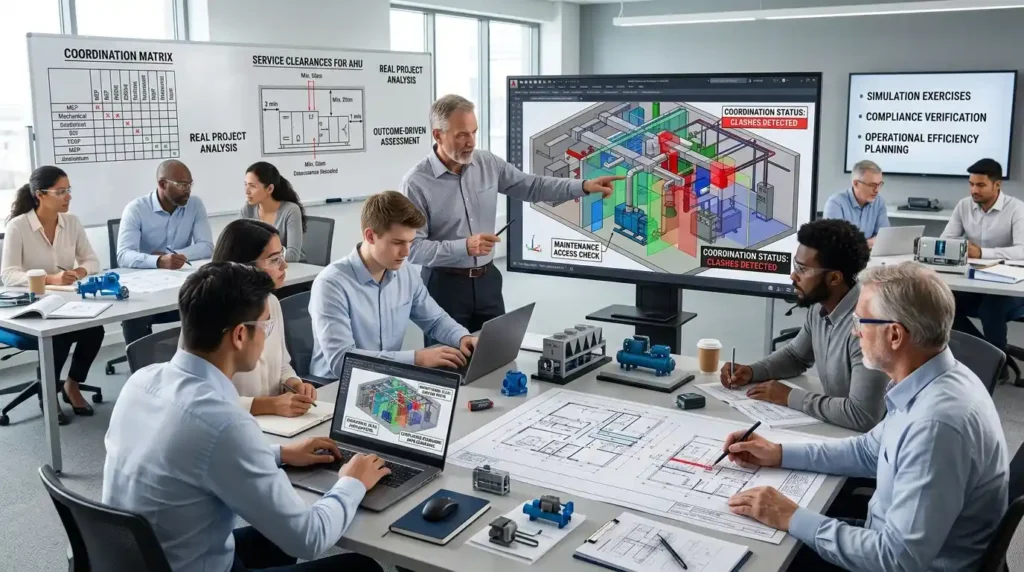
A common misconception involves treating AutoCAD as only a drawing tool. In professional environments, AutoCAD functions as a coordination platform supporting engineering communication and operational planning.
Another misconception assumes mechanical room layouts focus only on equipment fit. In reality, layouts must support airflow, maintenance access, safety compliance, and long-term operational efficiency.
Some organisations believe generic CAD training solves workforce capability gaps. Generic software instruction often ignores real-world engineering coordination requirements. Effective training integrates practical building services scenarios into drafting exercises.
Another issue involves underestimating maintenance requirements. Equipment accessibility affects long-term operational costs. Poor layouts increase service time and replacement complexity.
Training programmes correct these misconceptions through applied learning methodologies.
Real project analysis
Participants study completed mechanical room projects and identify operational challenges.
Coordination simulations
Teams practise resolving multidisciplinary spatial conflicts.
Compliance-based exercises
Learners validate layouts against operational standards and clearance requirements.
Outcome-driven assessments
Performance measurement focuses on practical implementation accuracy rather than theoretical knowledge alone.
This approach aligns technical learning with measurable organisational outcomes. Teams develop operational understanding instead of isolated software familiarity.
Why does space planning knowledge matter for workforce transformation?
Space planning knowledge matters for workforce transformation because modern infrastructure projects require multidisciplinary technical coordination, operational efficiency, digital drafting accuracy, compliance awareness, and scalable engineering collaboration across increasingly complex building environments.
Commercial buildings continue increasing in technical complexity. HVAC systems integrate with automation controls, energy management systems, and sustainability frameworks. Mechanical rooms now support interconnected operational infrastructures.
Workforces therefore require broader technical competencies. Drafting teams need operational awareness. Facilities managers need documentation literacy. Project coordinators need interdisciplinary coordination skills.
Technical learning supports this transformation by creating standardised knowledge across departments.
Structured AutoCAD HVAC education also supports organisational resilience. Standardised workflows reduce dependency on individual drafting styles or undocumented practices. Teams maintain continuity during workforce transitions and project scaling phases.
Discover More from Our Guide Library:
What Is a Reflected Ceiling Plan and How Does HVAC Design Fit Into It?
How Are Ventilation System Drawings Created for Commercial Spaces in AutoCAD?
Digital infrastructure planning increasingly depends on collaborative workflows. Mechanical room coordination now involves engineers, contractors, sustainability consultants, and facilities operators working within integrated project environments.
Training aligned with practical implementation prepares organisations for these evolving operational demands. Teams improve technical consistency, project coordination, and long-term facilities performance through structured knowledge development.
Who should attend an AutoCAD HVAC and Plumbing Design Training Course?
This training course is suitable for HVAC engineers, MEP coordinators, CAD technicians, project engineers, and facilities professionals. Imperial Corporate Training Institute structures the course for both entry-level learners and experienced technical teams working on building services projects.
How does AutoCAD help in HVAC and plumbing system design?
AutoCAD improves HVAC and plumbing system design by enabling accurate drafting, equipment placement, pipe routing, and clearance coordination. The AutoCAD HVAC and Plumbing Design Training Course teaches how to create detailed layouts that support installation efficiency and maintenance accessibility.
What skills are gained from AutoCAD HVAC and plumbing training?
Participants learn HVAC drafting, plumbing design coordination, duct and pipe layout planning, layer management, and construction documentation. Imperial Corporate Training Institute also focuses on practical CAD standards, technical accuracy, and multidisciplinary project coordination.
Why is AutoCAD important for mechanical and MEP projects?
AutoCAD is important for mechanical and MEP projects because it supports precise technical drawings, clash reduction, and coordinated building system layouts. The AutoCAD HVAC and Plumbing Design Training Course helps teams improve design consistency, project workflow efficiency, and construction documentation quality.